Documentation Index Fetch the complete documentation index at: https://www.getmaxim.ai/docs/llms.txt
Use this file to discover all available pages before exploring further.
Overview This guide demonstrates how to integrate Maxim SDK tracing with LiteLLM for seamless LLM observability. You’ll learn how to set up Maxim as a logger for LiteLLM, monitor your LLM calls, and attach custom traces for advanced analytics.
Requirements litellm>=1.25.0 maxim-py>=3.5.0
Environment Variables Set the following environment variables in your environment or .env file:
MAXIM_API_KEY=
MAXIM_LOG_REPO_ID=
OPENAI_API_KEY=
Step 1: Initialize Maxim SDK and Add as LiteLLM Logger import litellm import os from maxim import Maxim, Config, LoggerConfig from maxim.logger.litellm import MaximLiteLLMTracer logger = Maxim().logger() # One-line integration: add Maxim tracer to LiteLLM callbacks litellm.callbacks = [MaximLiteLLMTracer(logger)] Step 2: Make LLM Calls with LiteLLM import os from litellm import acompletion response = await acompletion( model = 'openai/gpt-4o' , api_key = os.getenv( 'OPENAI_API_KEY' ), messages = [{ 'role' : 'user' , 'content' : 'Hello, world!' }], ) print (response.choices[ 0 ].message.content)
Advanced: Attach a Custom Trace to LiteLLM Generation You can attach a custom trace to your LiteLLM calls for advanced tracking and correlation across multiple events.
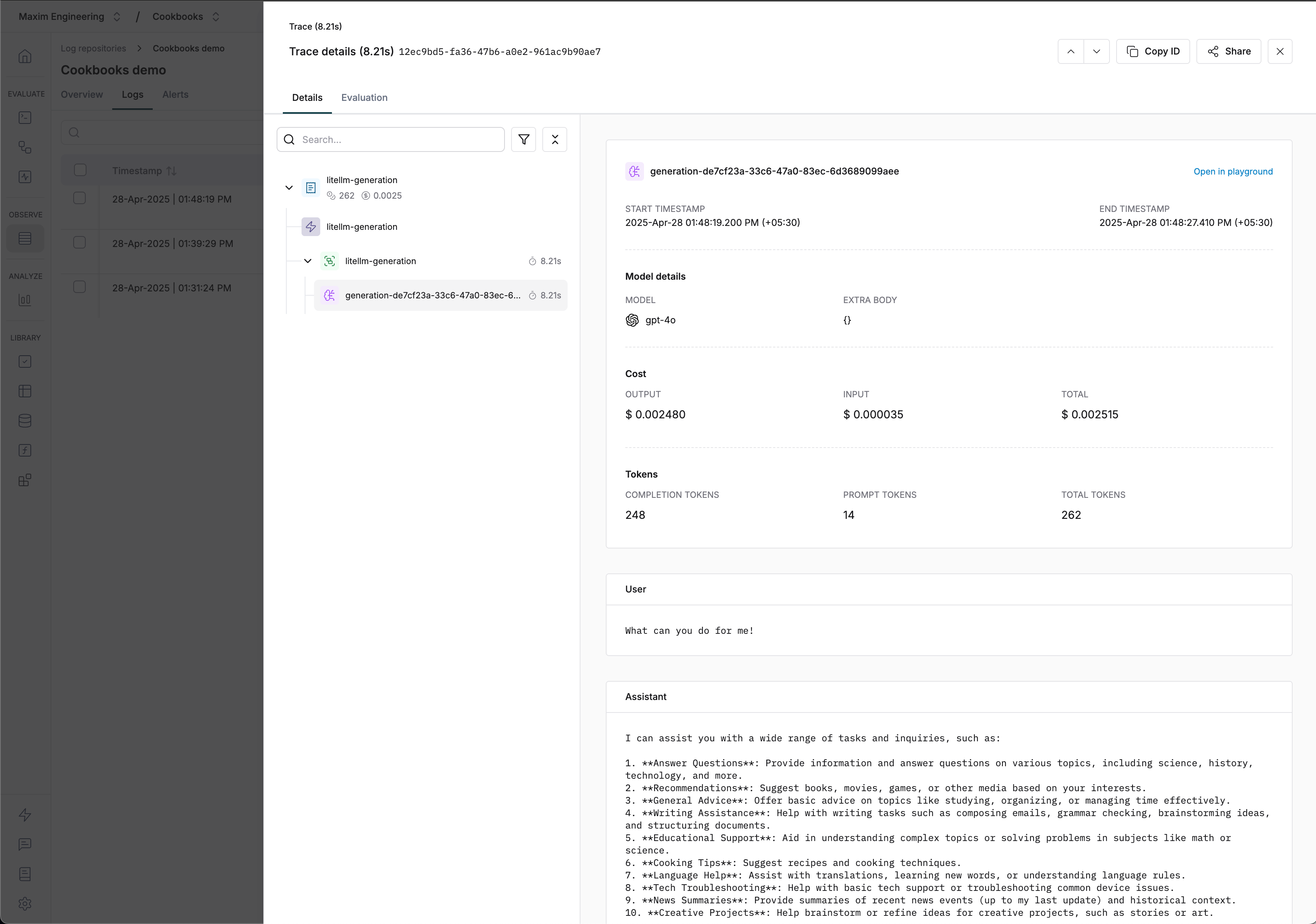
from maxim.logger.logger import TraceConfig import uuid trace = logger.trace(TraceConfig( id = str (uuid.uuid4()), name = 'litellm-generation' )) trace.event( str (uuid.uuid4()), 'litellm-generation' , 'litellm-generation' , {}) # Attach trace to LiteLLM call using metadata response = await acompletion( model = 'openai/gpt-4o' , api_key = os.getenv( 'OPENAI_API_KEY' ), messages = [{ 'role' : 'user' , 'content' : 'What can you do for me!' }], metadata = { 'maxim' : { 'trace_id' : trace.id, 'span_name' : 'litellm-generation' }} ) print (response.choices[ 0 ].message.content) Visualizing Traces Resources
LiteLLM integration cookbook (GitHub)
LiteLLM integration cookbook (Colab)
Notes
All LLM calls made with the MaximLiteLLMTracer will be automatically traced and visible in your Maxim dashboard.