
Get started with Dataset evaluation
Have a dataset ready directly for evaluation? Maxim lets you evaluate your AI’s performance directly without setting up workflows.1
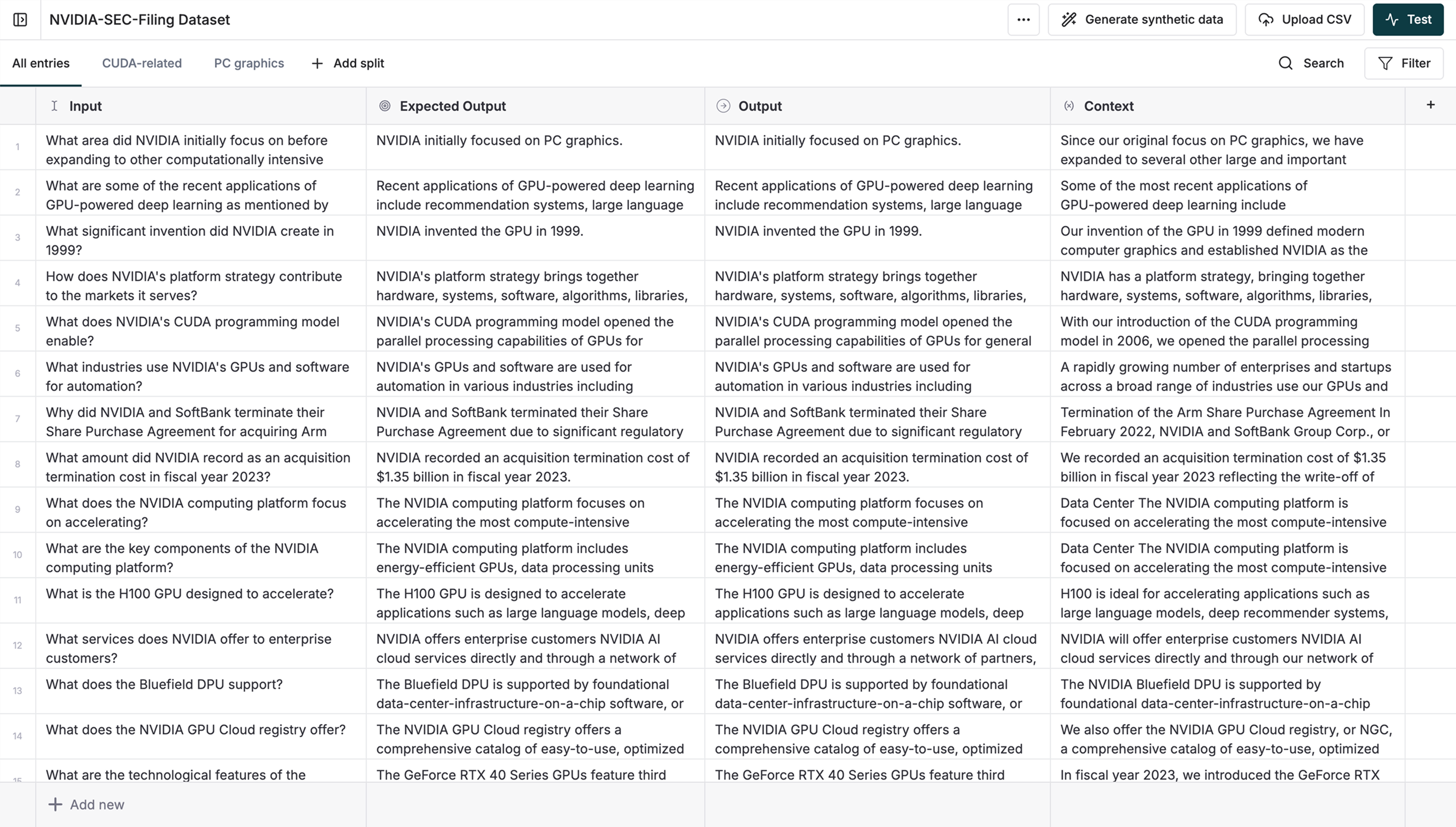
Prepare Your Dataset
Include these columns in your dataset:- Input queries or prompts
- Your AI’s actual outputs
-
Expected outputs (ground truth)
2
Configure the Test Run
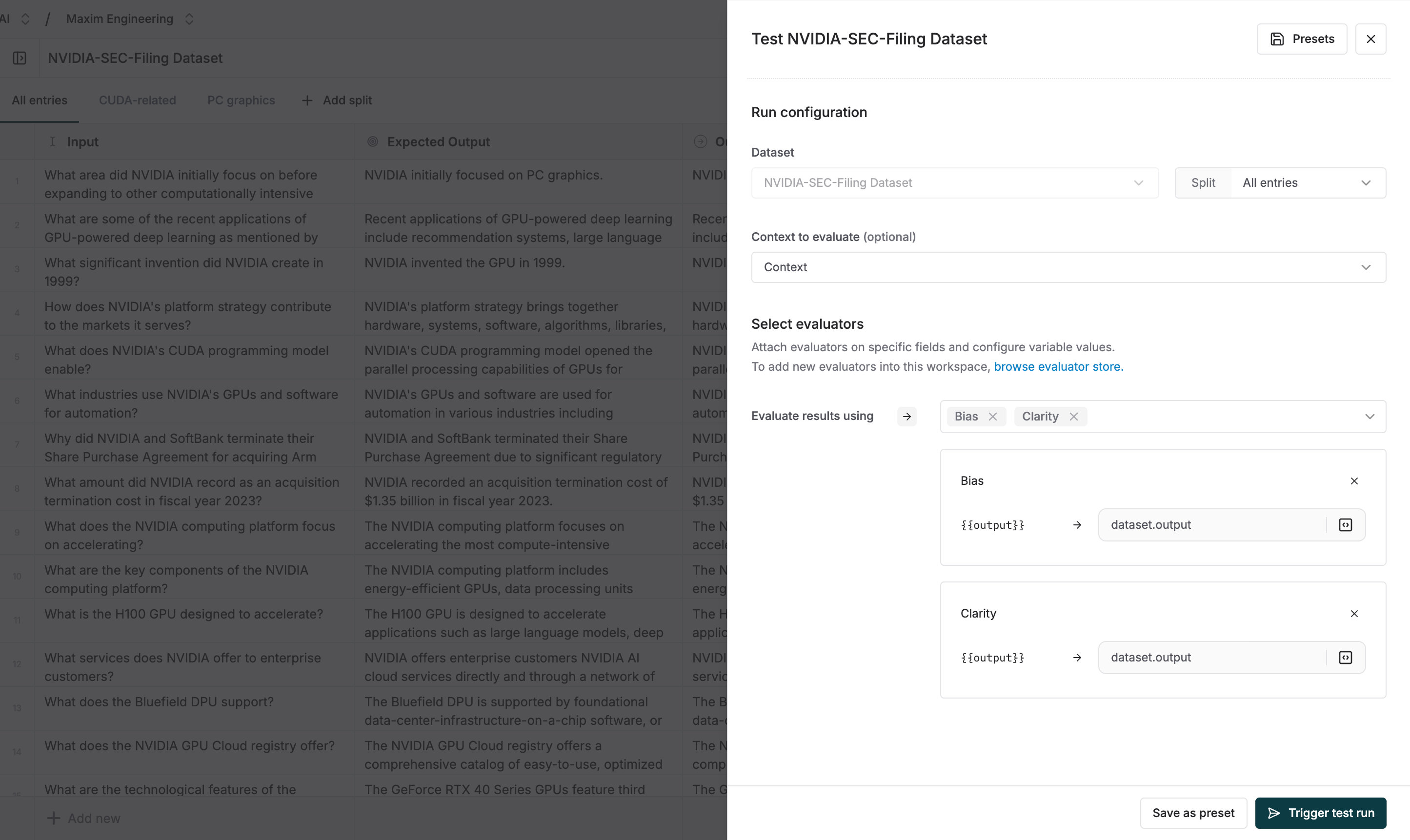
- On the Dataset page, click the “Test” button, on the top right corner
- Your Dataset should already be pre-selected in the drop-down. Attach the Evaluators and Context Sources you want to use. Here’s a polished, documentation-ready version of that line:
- Map the evaluator’s variables using values from the dropdown, based on your dataset columns. All column types are available for mapping. If a dataset column is of type
Variables, you can reference it usingdataset.columns["column_name"].
- Click “Trigger Test Run”
If you want to test only certain entries from your Dataset, you can create a Dataset split and run the test run on the split the same way as above.